


We backup NAS appliances
Automated backup task for business
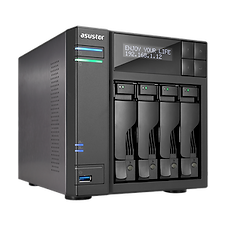


Backup, backup and did I forget to say backup!
When you run a NAS appliance (Network Attached Storage) for your business, the primary goal is uptime and simplicity over more expensive server operating systems for small business environments.
Even large enterprise businesses run multiple NAS appliances to spread the workload out for hundreds of employees.
But when a accident occurs to your files and folders you still need a separate backup procedure.
1. We backup all data in shared folders independently using our in-house storage systems.
2. We are human, we check backups are working and we do not restore anything without your approval.
3. We have a target of daily backups.
4. Self-audit backups are working by adding a special test file into shared folders, our system will send a email to you the next time it sees the test file.
5. Our service is self truncating to prevent run-away storage costs, we retain daily backups for 30 days, weekly backups for 6 months, 1st of the month for 2 years, then keeping 1st of every 3rd month there after.
6. Web portal access to our backup system, easy to grab a file or two, and FTP/SFTP account access to bulk download files and folders.

Access the backup portal
All you need is your supplied username and password. If you are familiar with browsing popular websites like facebook.com, stuff.co.nz and other websites, then this is very, very simple.
Note: The portal is only available to New Zealand and Australia. Other locations are GeoIP restricted with live threat protection. Whitelisting a specific IP is available upon validated request.

Browse your archives
Using the SUPPORTU BACKMEUP service is very simple, using the portal allows you to browse all folders just like your business folders were before your catastrophe.
Click download on the file you want to download.
If you need bulk actions, web browsers cannot handle GB's of data so you will need account credentials to connect via FTP/SFTP using tools like FileZilla software.